OtterX
Personal project, live at otterx.fun. A Solana memecoin trading terminal that shows who is buying: a ranked signal feed, KOL trades and pump.fun callouts drawn on a TradingView chart, a social feed of calls, and instant Jupiter trading with TP/SL — backed by a Rust service that decodes trades straight from the chain. Designed in Figma, built with Claude; deployed to Vercel (frontend) and Vultr (backend).
OtterX is a Solana memecoin terminal I designed and built end to end. It started as a Telegram bot I made for my own trading and grew into a web product with a ranked signal feed, a live chart, a social feed of calls, and one-tap trading. Everything is organized around one idea: on a memecoin, the people trading it tell you more than the price does.
The problem
The chart only shows half the story
A memecoin has no earnings, no product, and often no team. What moves it is who is buying and who is talking about it. Traders know this, so they work across four or five tabs: a chart in one, a wallet tracker in another, X and Telegram for calls, and a block explorer to check whether the supply is bundled. By the time they've pieced it together, the move is usually over.
The goal for OtterX: answer "who is in this token, and what are they saying?" on the same screen as the chart, fast enough to act on.
Where it started · 2024
Kotaro, a Telegram bot
The first version was Kotaro, a Telegram bot with an otter persona, built for my own trading. Type /start and it showed your wallet, SOL balance, and a row of buttons to start the bot, check trades, and change settings, all routed through Jupiter.
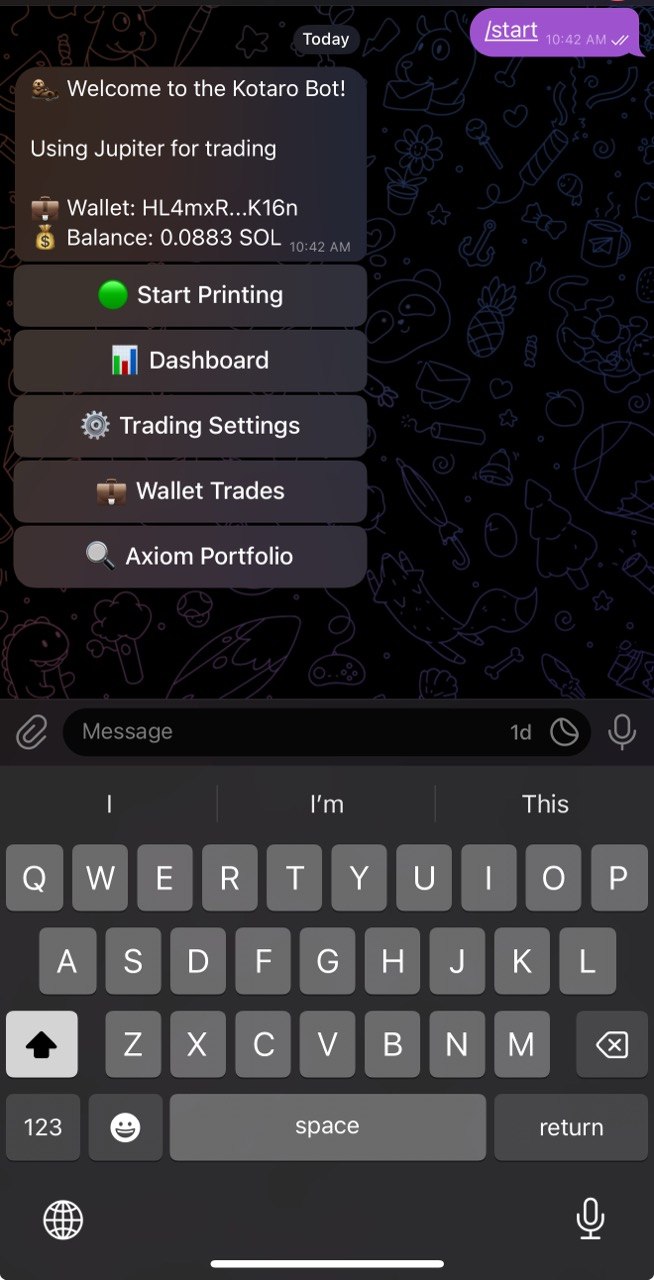
I used it every day for nine months, adding signals and wallet tracking along the way. The trading logic kept improving; the interface didn't. Charts, watchlists, and trade history need space, and in a chat window every feature became another slash command. That was the case for a real product.
How it got built · 2025
Figma for decisions, Claude Opus for velocity
I designed each surface in Figma, then built it with Claude Opus as a coding partner. That changed the pace: surfaces I had been sketching for months, like the full terminal, trader profiles, and the trade journal, shipped in days. Because I owned both the design and the code, I could try an idea in the live product, watch how it felt on real data, and revise it the same day.
Key decisions
Three calls that shaped the product
Put the traders on the chart
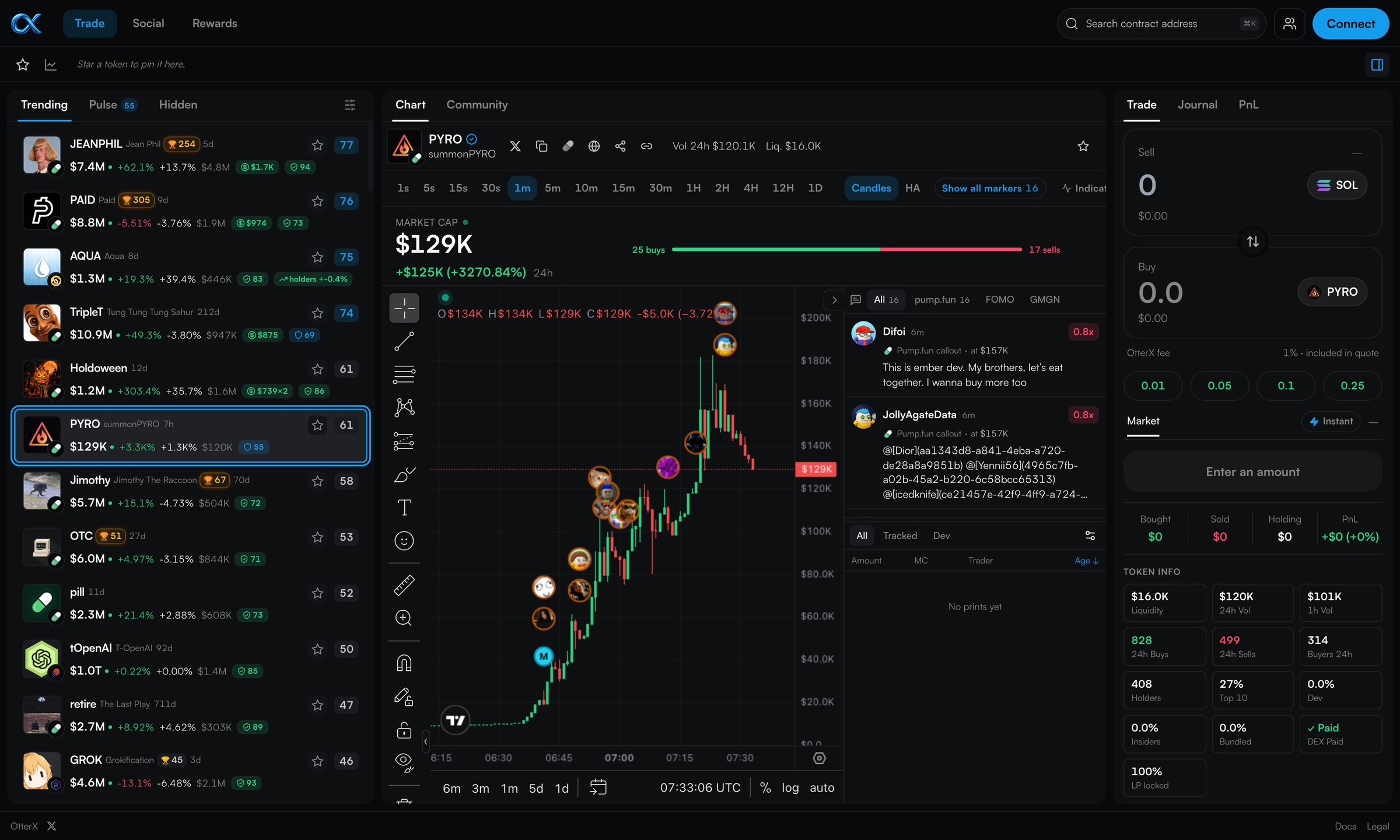
Most terminals list wallet activity in a separate panel, so you have to line it up with the chart yourself. OtterX draws it on the chart. Trades by 650+ public KOL wallets, plus any wallets you track, appear as avatar bubbles on the candle where they happened. Hover a bubble to see the trader's call and P&L; click it for their full history.
Own the data
Third-party market data kept failing: rate limits, suspended API keys, and candles that disagreed with the chain. Every failure showed up as a broken chart. So I moved the data in-house. A Rust backend decodes pump.fun and PumpSwap trades straight from public Solana RPC streams and builds its own candles. The chart, the bubbles, and the order tape now come from the same trades, so they line up.
Ship the terminal, not the bot
The original plan was an autotrader you could switch on and walk away from. Before opening it to anyone, I backtested it on data it had never seen, and it showed no edge. Selling people an autotrader that doesn't beat the market would have been easy to build and hard to justify. So the bot stays in paper-trading mode, and the product became a terminal that makes human traders faster.
The product
One screen from discovery to trade
The Trade page follows a trader's flow from left to right: find a token, read the chart, check who is behind it, and act.
Find
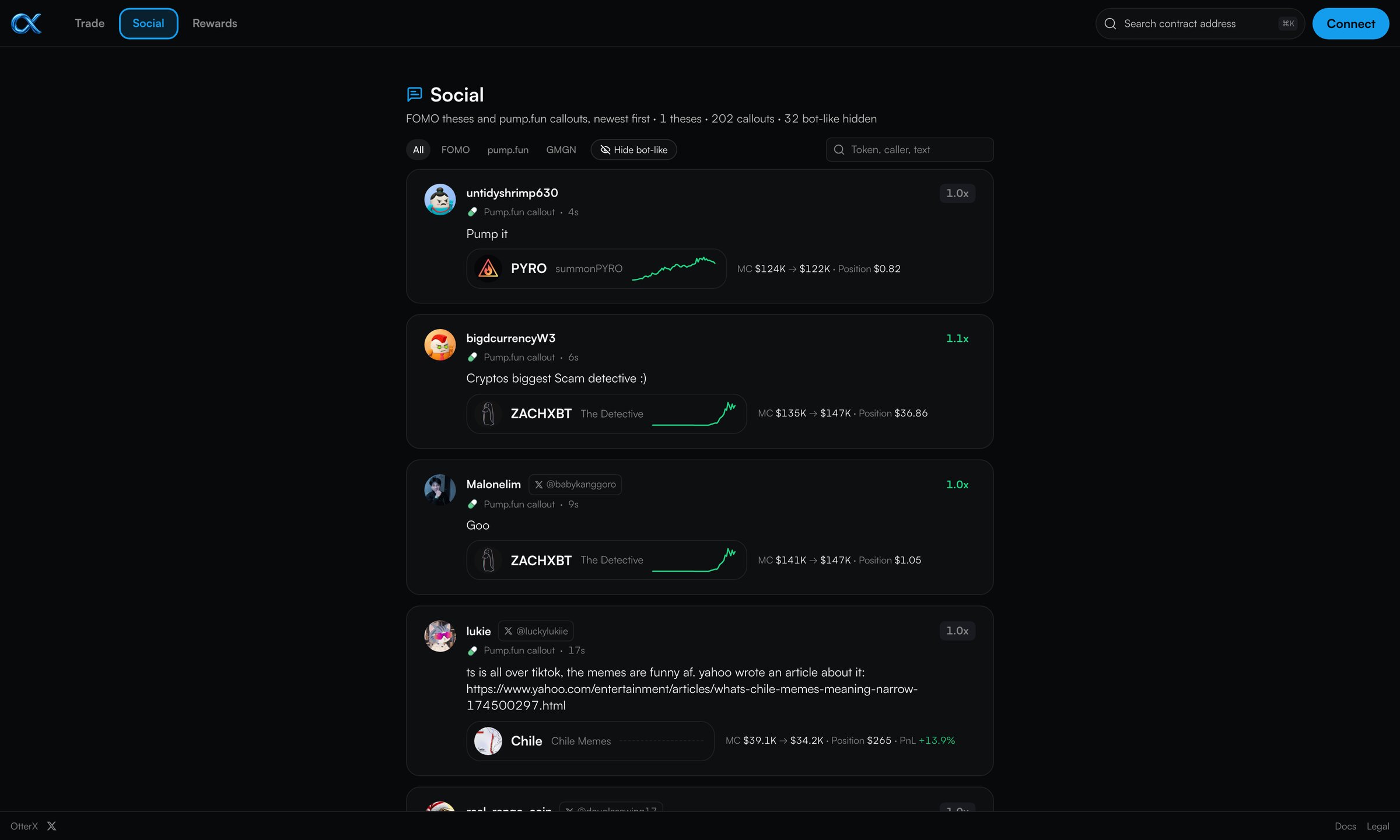
The Trending feed scores each token from 0 to 100 using buyer breadth, net buyers, holder growth, and safety checks. Pulse shows what known traders are buying and selling right now.
Check the room
Beside the chart, a rail lists every pump.fun callout and FOMO thesis on the token, with the market cap at the time of the call. The token panel flags common traps: concentrated supply, insider and dev holdings, bundled buys.
Act
One-tap buys through Jupiter, with take-profit and stop-loss previewed as lines on the chart. The 1% fee is shown in every quote, and a running Bought / Sold / Holding / PnL strip tracks the position.
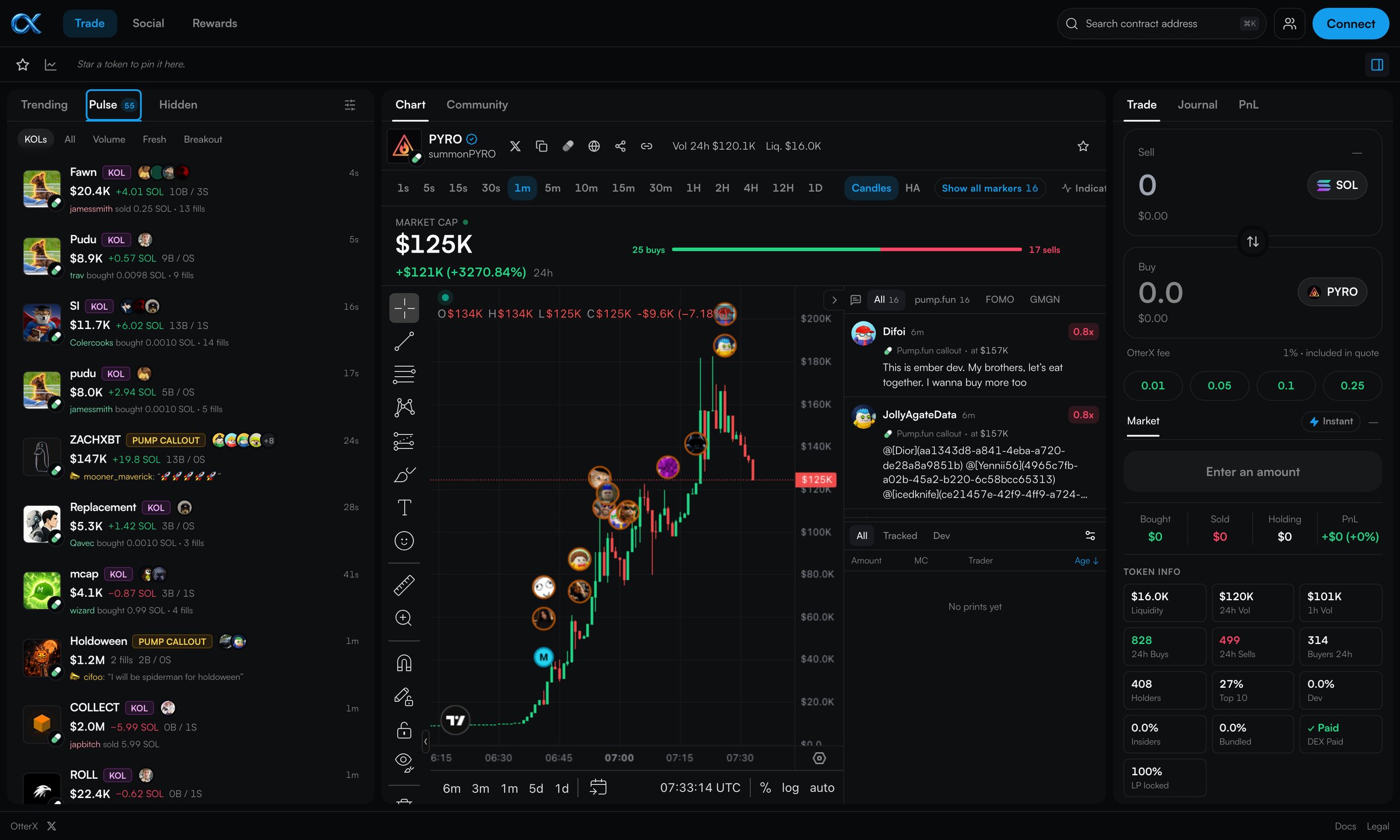
Around the terminal, Social collects every pump.fun callout and FOMO thesis into one feed and shows how each token has moved since it was called, with a toggle to hide bot-like accounts. Rewards finds the empty token accounts left behind after selling and returns the SOL locked in them. Every token also gets a /t/<mint> share link with its own preview card, so a call posted to X opens straight onto the chart.
on-chain trades decoded per minute
Where it stands
Live, and running on its own data
OtterX is live at otterx.fun. The backend decodes about 2,600 pump.fun trades a minute from public RPC streams and tracks 650+ KOL wallets, with candles from one second to one day.
What I learned
Takeaways
Data reliability is a design problem
Users never saw a rate limit. They saw a blank chart or a candle in the wrong place. The fix that made the product feel solid wasn't in the UI; it was owning the data underneath it.
Test the promise before you sell it
The backtest was the most useful thing I built all year, because it stopped me from shipping the wrong product. It's why the product is a terminal and the bot stays in paper mode.
AI moves the bottleneck
With Claude Opus writing much of the code, building stopped being the slow part. Deciding what to build, and checking it against real data, became the work.
Stack
Built with Figma + Claude Opus
Frontend in React + Vite with TradingView Advanced Charts, hosted on Vercel. Backend in Rust (axum) on a Vultr server, streaming to the browser over WebSockets. Solana + Jupiter for trading.
Disclaimer. OtterX is a non-custodial interface in active development and has not been audited. Nothing on this page or in the app is financial advice. Memecoin markets are extremely volatile and you can lose everything you put in. Use it at your own risk, and only with money you can afford to lose.